Write it as a list. Use it as a map.
Node Paper is an outliner for what you know and what you need to do, on your phone and computer. Link any line to any other and the structure builds itself, so you never have to decide up front where something goes.
Free, with no account. Works offline, and installs like an app.
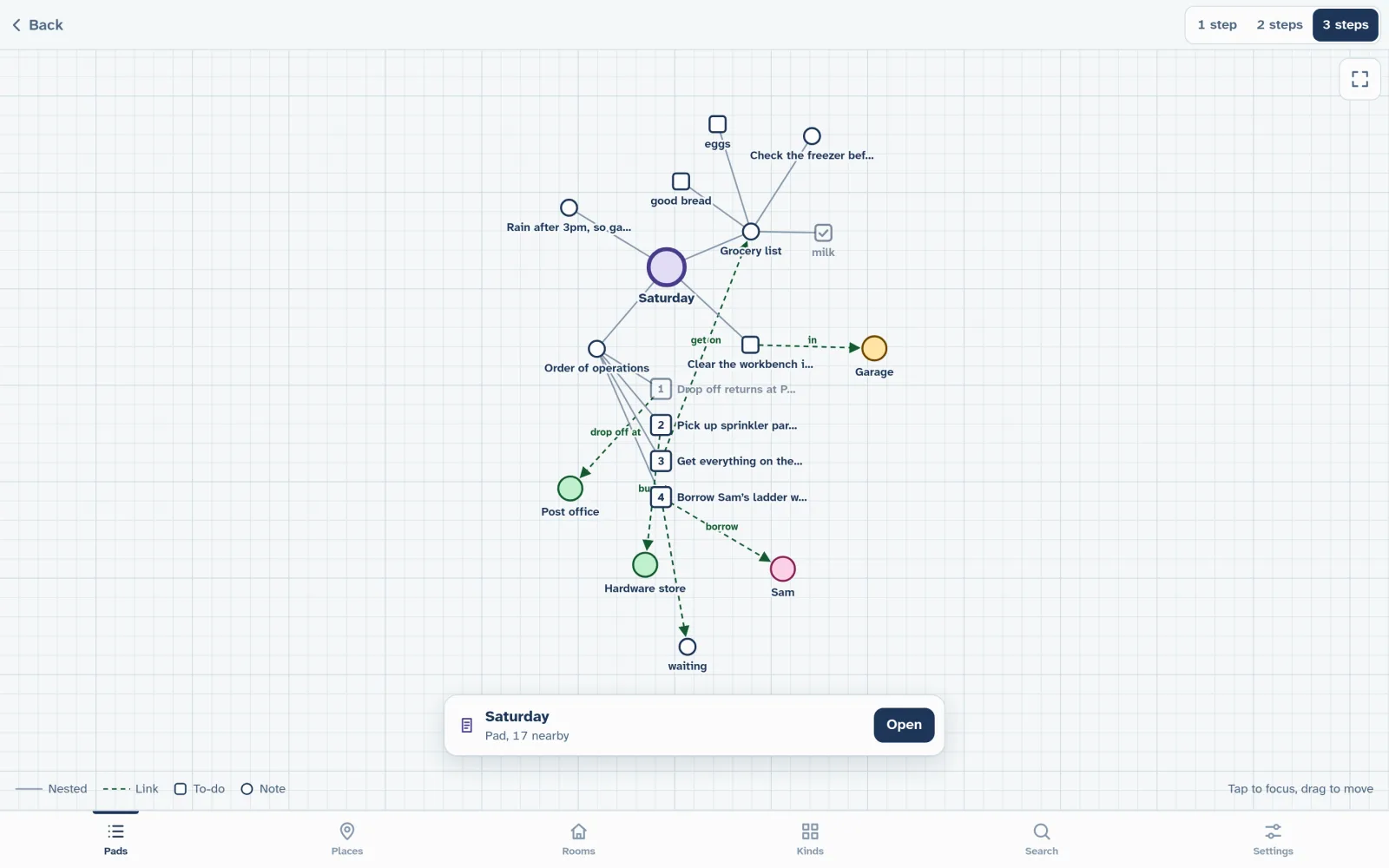
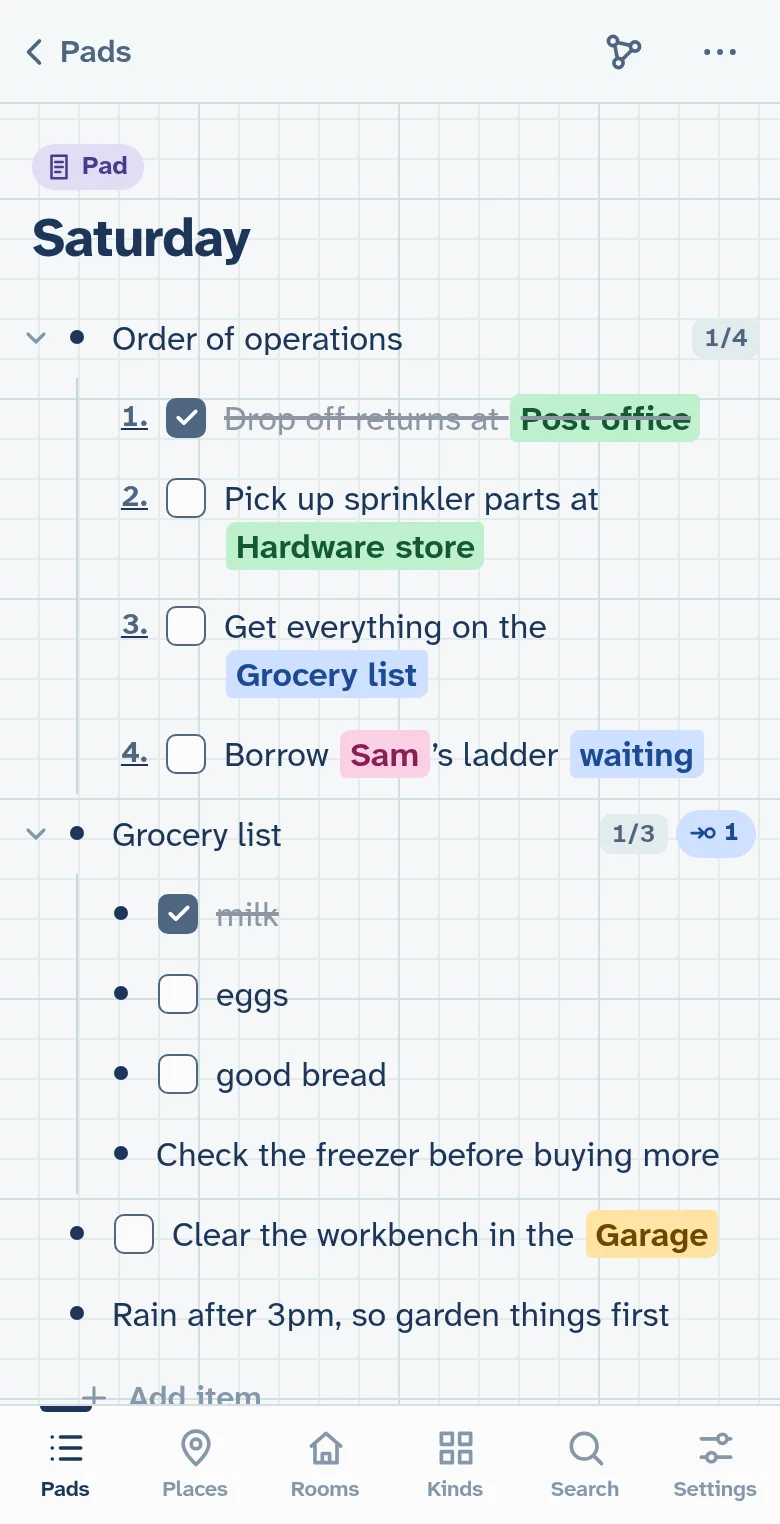
One line can belong to many places.
Everything is a line: a note, a to-do, a heading over a nested list. Type @ in any line to link it to anything else: a store, a friend, a project, another list. Open anything you’ve linked to and you’ll find every line that points to it, from all your lists.
-
Pick up sprinkler parts at Hardware store
Errands, by place. Open the Hardware store to see everything you need there, from every list.
-
Borrow Sam’s ladder
People. Sam’s page holds everything between you: what you lent, what you owe, what you asked.
-
waiting on
Waiting on Alex for the quote
Relations. The words around a link say what it means, so this one reads as waiting on. Everyday ones like buy at, waiting on and owes become relations: every page sorts by them, and the graph labels its links with them.
-
fact
Sam works at Hardware store
Facts. Say how the things in your world relate, like who works where or which project a part is for, and both pages show it. People and places are only the start: model anything that comes up in your life or work.
-
Clear the workbench in the Garage
Kinds of your own. Rooms, projects, clients: make a kind of context, and it gets a colour and a tab of its own.

A graph of it all
See any list, place or person as a graph of its lines and links, a few steps out.
Works offline
Your lists live on your device, so nothing waits on a network. Install it to your home screen like an app.
Paste in what you have
Paste a markdown list and it keeps its nesting, checkboxes and numbers.
Vim keys, if you like
On a computer, edit in normal and insert mode, with yank, put, undo and jumps back.
Try it now, right in your browser.
Nothing to sign up for, and your lists stay on your device.
Free on one device. Synced, when you want it.
Every feature is free, forever, on the device you’re using. Sync keeps your lists live on all your devices, and it’s end-to-end encrypted.
Free, forever
No account and nothing to pay. Everything stays on this device.
- Every feature, on one device
- Your lists stay on your device; nothing is sent anywhere
- Works offline, and installs like an app
- Export a backup whenever you like
Sync
1,000 satoshis a month
2,700 for 3 months, 9,600 for 12. The first day is free.
- Everything in Free
- Live sync between all your devices
- End-to-end encrypted: sealed on your device, so the server can’t read your lists
- Your account is a key, or the Nostr key you already have. No email, no contact details
- Paid in bitcoin, as many months ahead as you like
- Stop paying and nothing is lost: sync pauses, and your lists stay put
Read more
-
Features in detail
Links, contexts, labels, the graph, pasting and Vim keys, with examples.
Coming soon
-
Questions
What it is, what it isn’t, and what happens to your lists.
Coming soon
-
Sync, privacy and Nostr
What the server sees, how paying works, and where your Nostr key comes in.
Coming soon
-
Source
Read the code, or report a bug, on GitHub.